FAQ
What if there is material I want to use at a nearby public library?
Please refer to the page below.
How to Find Materials (Library Website)
What if there is material I want to use at another university library?
The [Search Other Universities] tab allows you to search for books and journals held primarily by university libraries in Japan.
Please note that you cannot search for articles here. If you wish to search for articles, please use the [Article Search] tab.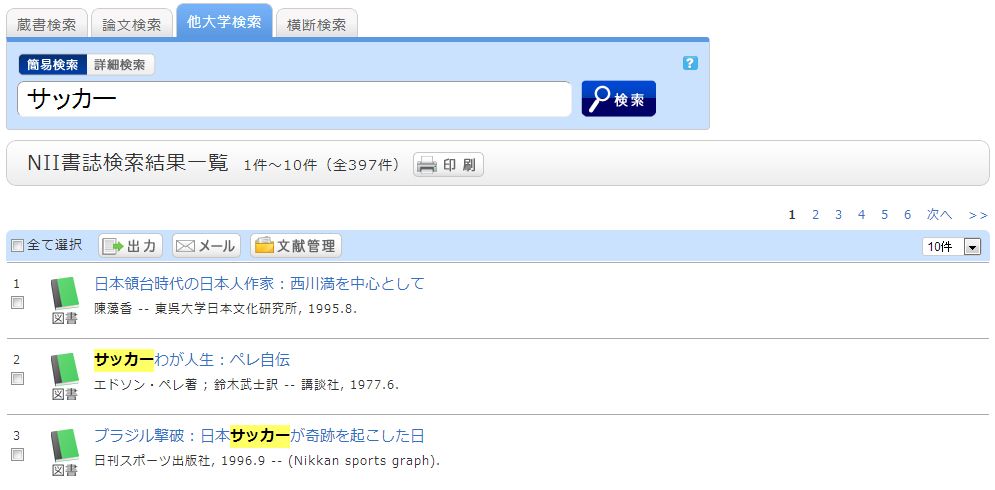
Enter a keyword to perform a search, and the search results list screen will be displayed. Selecting a material from the list will display the NII bibliographic details screen.
On the menu on the right side of the screen, under the "Borrow from Other Institutions" section, please click on one of the following:
- ILL Photocopy Request (Requesting a copy)
- ILL Loan Request (Borrowing the actual item)
An ILL Photocopy Request is a service for obtaining copies of articles or parts of books from other university libraries or institutions.
An ILL Loan Request is a service for borrowing actual books from other university libraries or institutions.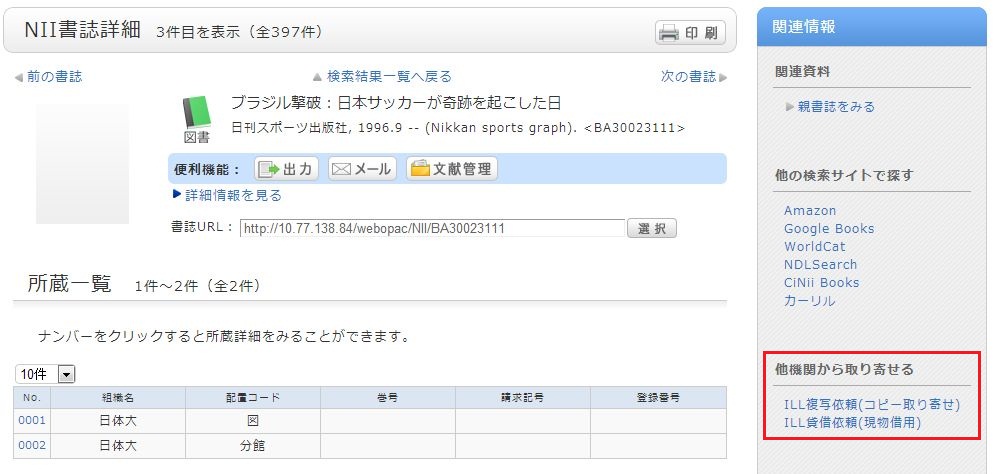
How do I place an ILL (Interlibrary Loan) request?
* Please ensure that you have thoroughly searched for the material within the library before submitting a request.
1. First, enter the information for the material you are looking for.
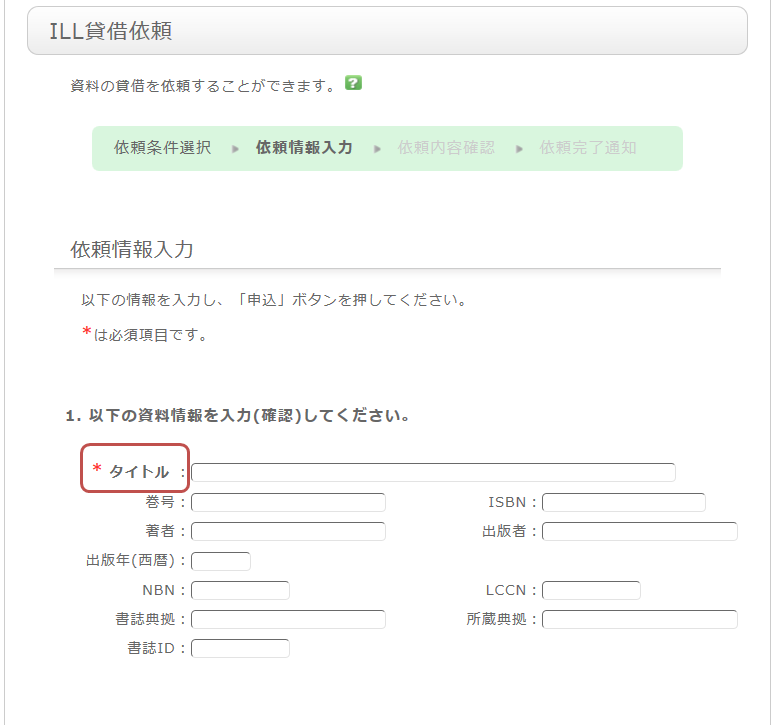
To ensure that you receive the material, please provide as much detail as possible. If you found the information in a database system, etc., please include the name of that system in the "Bibliographic Source" field.
* Bold items are required fields.
2. Next, enter your own information under "Applicant Information."
Please ensure that your contact information is correct, as errors may prevent us from delivering the material to you promptly. Please provide contact details where you can be reached.
3. Next, enter the request-related information, payment method, and any remarks.
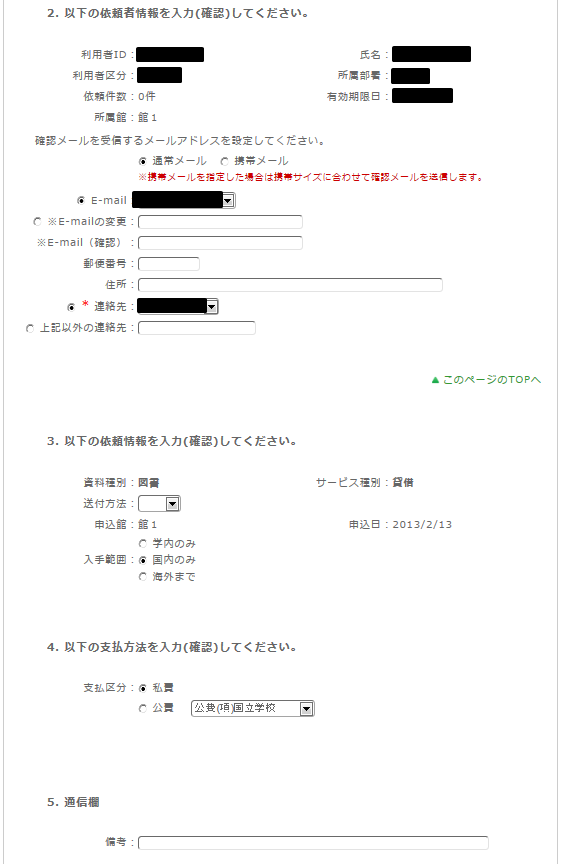
In the request-related information section, specify the delivery method and the library where you wish to pick up the item. Please also select the budget limit for the request.
Please be aware that copies requested from overseas may cost more and take longer than those requested within Japan.
For the payment method, you can select "Private funds" or "Public funds." Please note that using public funds requires that you have the necessary budget available.
In the "Remarks" section, please include any additional information you need to communicate, such as "I wish to cancel if the material is restricted to library use only" or "I wish to cancel if the material cannot be copied."
Once you have entered all the information, click the [Apply] button. After checking the details on the confirmation screen, if everything is correct, click the [Decide] button to complete your request.
How do I cancel an ILL loan request I have already placed?
You can cancel a request from the "Check Usage Status" page.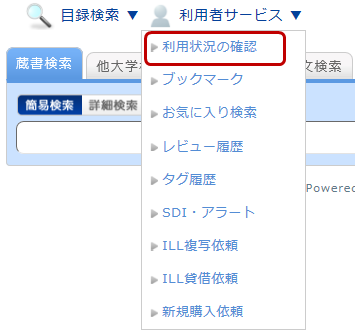
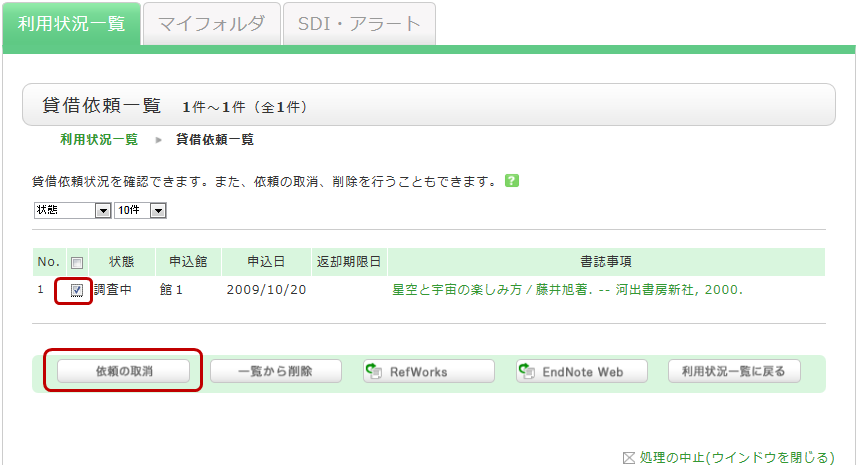
On the "Check Usage Status" screen, you can view the items you currently have checked out and the status of your various requests. Under the section for information regarding loan requests, select "Go to Loan Request List." This will allow you to view a list of your current loan requests. From this list, check the box for the material you wish to cancel and click the [Cancel Request] button.