



FAQ
FAQ
How do I import bibliographic information from the OPAC to RefWorks?
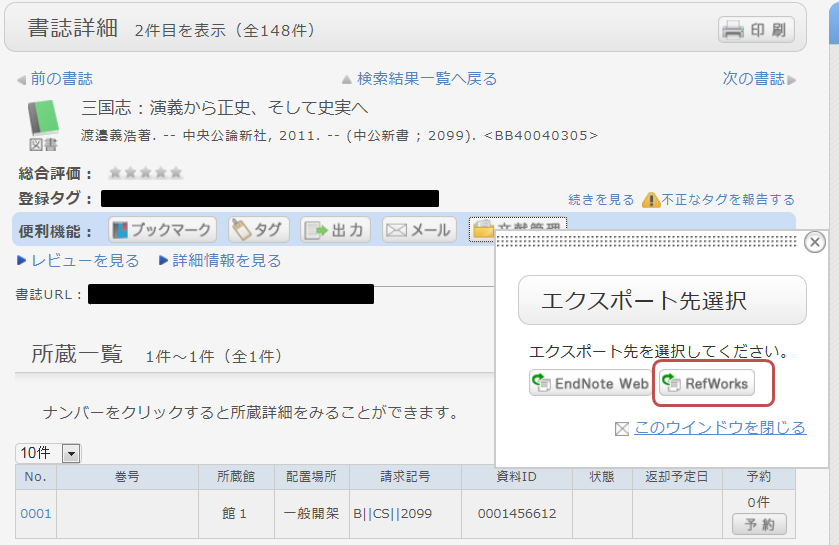
- You can import bibliographic information from the OPAC to RefWorks via the following screen.
- You can import bibliographic information from the OPAC to RefWorks via "direct import" without needing to download any plug-ins.
- Please register as a new user if it is your first time using the service.
- From the bibliographic search results or details screen, click "Bibliographic Management."
(In the search results list, you must select the items you wish to import.) - When the "Select Export Destination" pop-up appears, select "RefWorks."
- The selected bibliographic records will be imported into RefWorks. (If you are not logged in to RefWorks, the login screen will appear; please enter your login name and password to log in.)
Reference:
RefWorks (Sunmedia)
When you only know part of the title of the material.
[Book Search] tab, if you enter part of a keyword, a list of candidate materials starting with the entered string will be displayed (Suggestion function).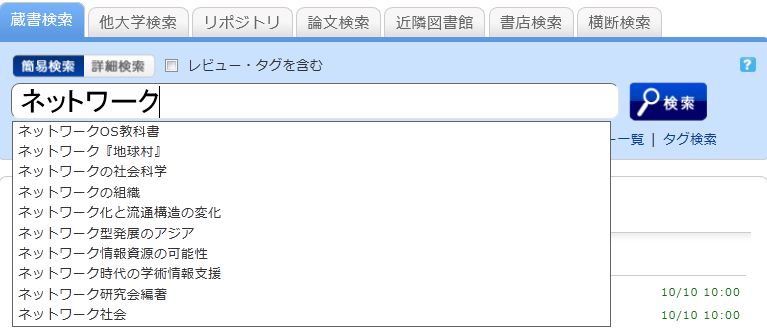
Select one from the displayed candidates and click the [Search] button to start the search.