



FAQ
FAQ
On the search results list screen, how do I return to the original list after narrowing down my search using the left-hand menu?
When you enter keywords and filter your search results using the menu on the left side of the bibliographic search results screen, the screen will appear as follows.
In this example, the material type is limited to "Book."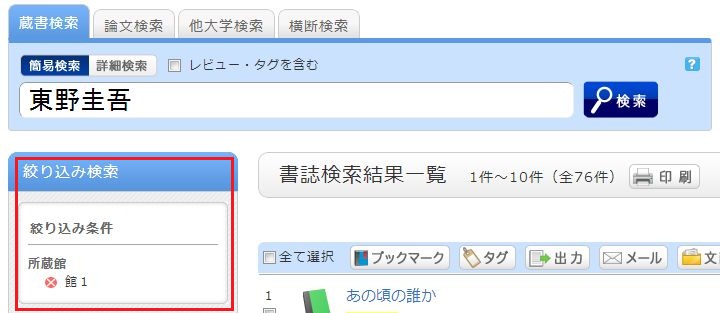
To remove a filtering condition and return to the original search results, click the red × button in the white area located under "Filtered by" in the left menu.
Even if you have applied multiple filters, you can remove any specific filter using the method above, regardless of the order in which they were applied.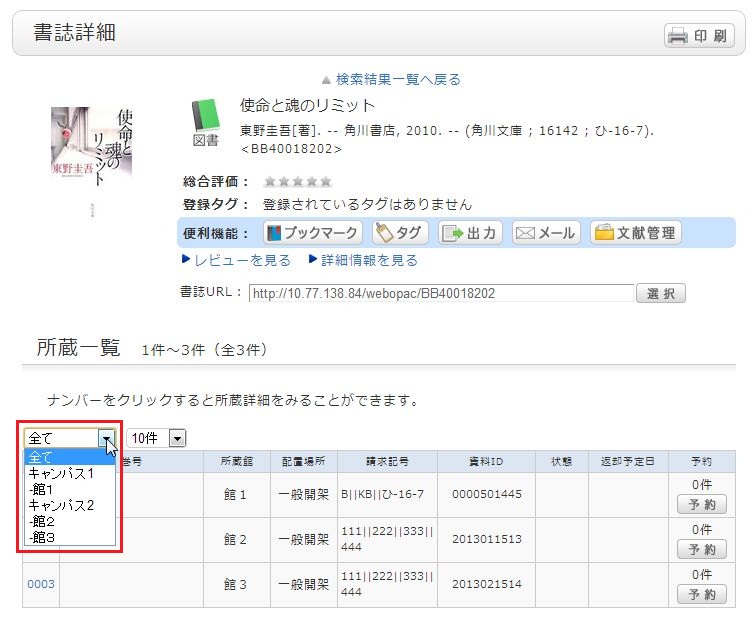
Even after you have filtered by library, selected a title, and moved to the bibliographic details screen, you can still remove the filter or re-filter by another library.