



FAQ
Is it possible to save search criteria for future use?
Category:
5.1.About personal services
Search criteria entered in the OPAC library catalog are recorded as "Search History" until you close your browser (or remain inactive for an extended period).
You can view your search history by clicking the "Search History" button at the top of the screen.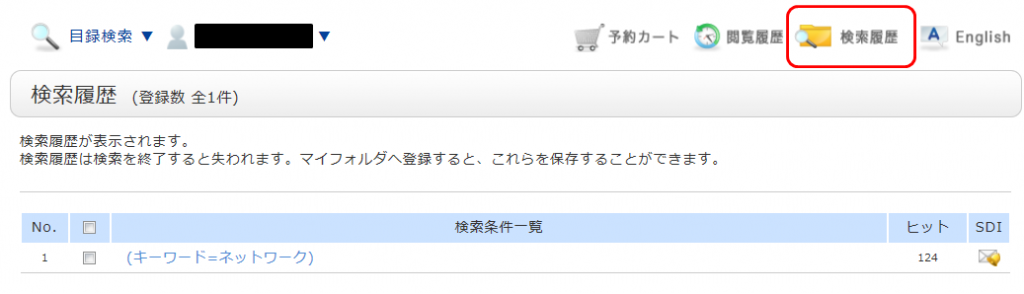
*The image shows the screen after clicking "Search History."
If you wish to save your search criteria for later use, check the checkbox for the criteria you want to register on the search history screen and click the "Add to Favorites" button.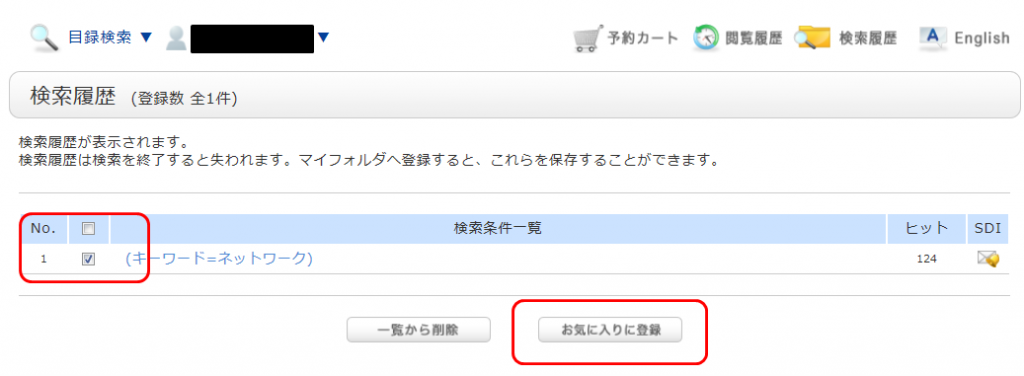
You can view your registered items from "Favorite Searches" in the OPAC.