



How can I extend the loan period of the books I have borrowed?
You can check the materials you have borrowed from the university libraries and renew your loans via the OPAC.
1. First, log in to the OPAC.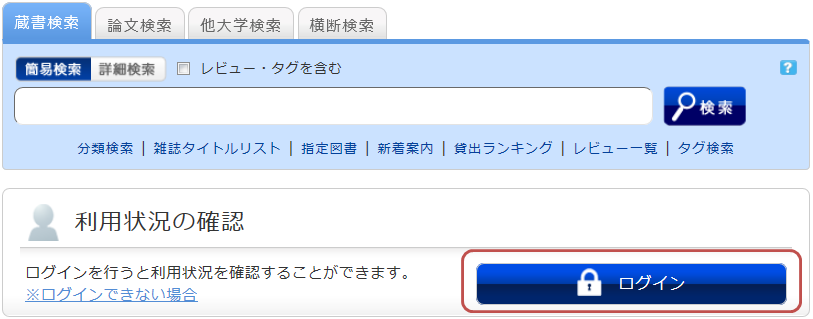
2. After logging in, click "Borrowed Materials" under "Check Usage Status."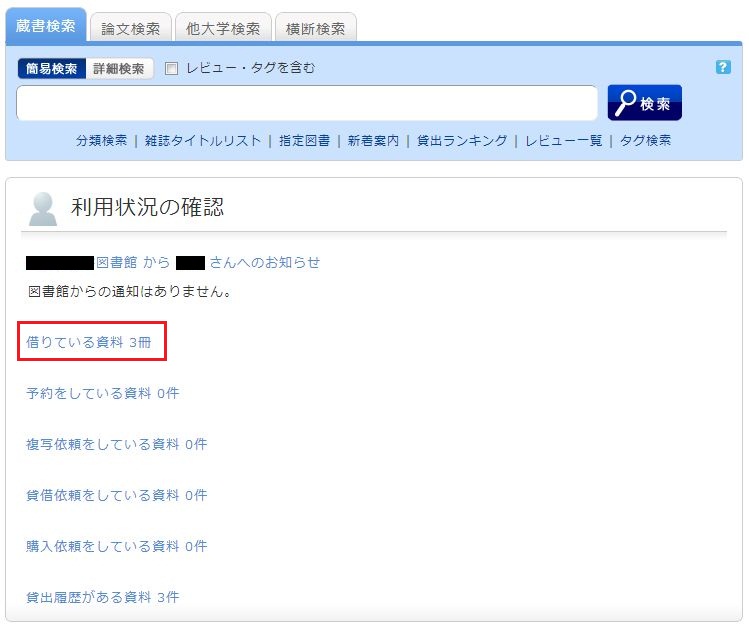
3. Once the "Loan List" is displayed, check the box next to the material you wish to renew and click [Renew Loan].
In the "Loan List," you can confirm your current loan status, including where you borrowed the item (Library), what you borrowed (Bibliographic details), and the due date (Due Date).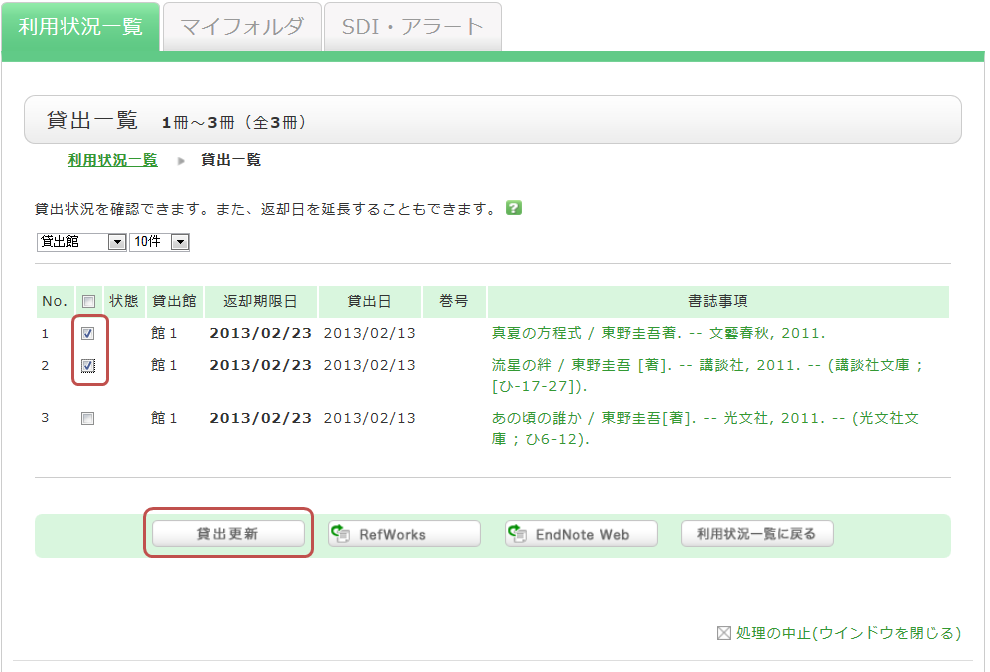
4. Click [OK] in the pop-up window.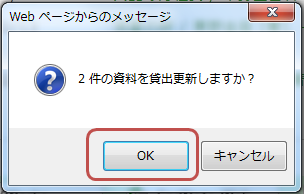
5. The due date will be extended, and the renewal is complete.
If the renewal fails, the reason will be displayed.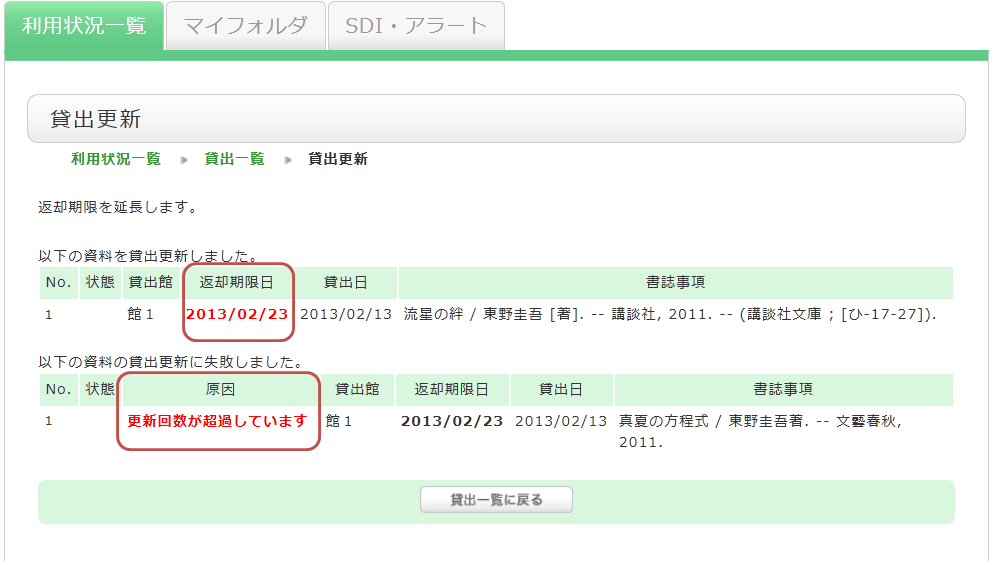
Clicking on the "Bibliographic details" of a borrowed item in the "Loan List" will display the "Bibliographic Details" screen, where you can check information such as the number of times the item has been renewed.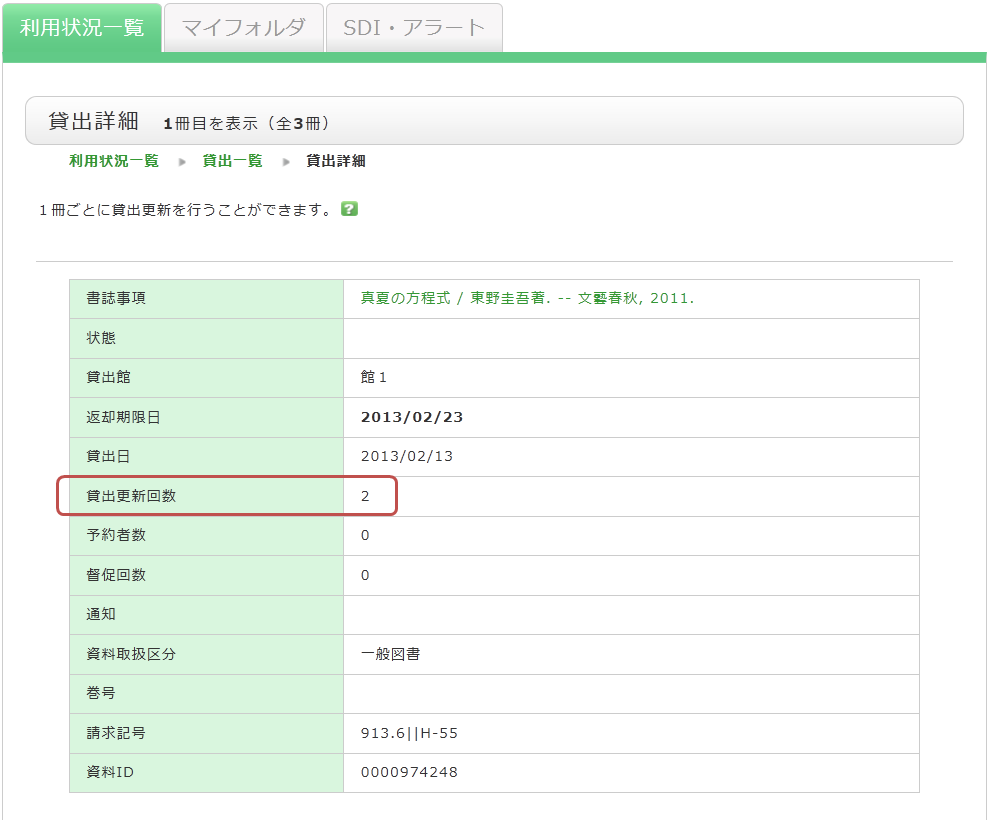
Please note the following regarding loan renewals:
- The new due date is calculated based on the online renewal rules of the library that holds the item.
- Online loan renewals are based on the date the renewal process is performed. Please note that it does not add to the loan period from the original due date.
- You cannot renew loans in the following cases:
- The material is on "Vacation Loan."
- The material has been reserved by another user.
- You have overdue materials or are currently in a loan suspension period.
- Depending on the type of material (e.g., textbooks, journals), some items may not be eligible for renewal.