



FAQ
I found an item in the OPAC, but I don't know where it is located on the shelves.
In the holding information of your search results, there is a field called "Call Number."
When you hover your cursor over this link, an image of the call number label will be displayed.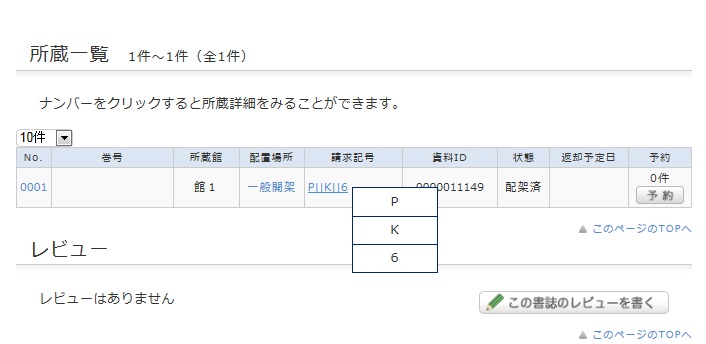
This image corresponds to the label attached to the book.
Books in the library are arranged on the shelves in the order of these call numbers.
Please use the library floor guide and this number to locate the bookshelf where the book is shelved.
What should I do if the material I found in the OPAC is currently checked out?
You can reserve materials that are marked as "Checked out" in the library catalog by following the steps below.
1. Click the [Reserve] button under "Holdings List" on the bibliographic details screen.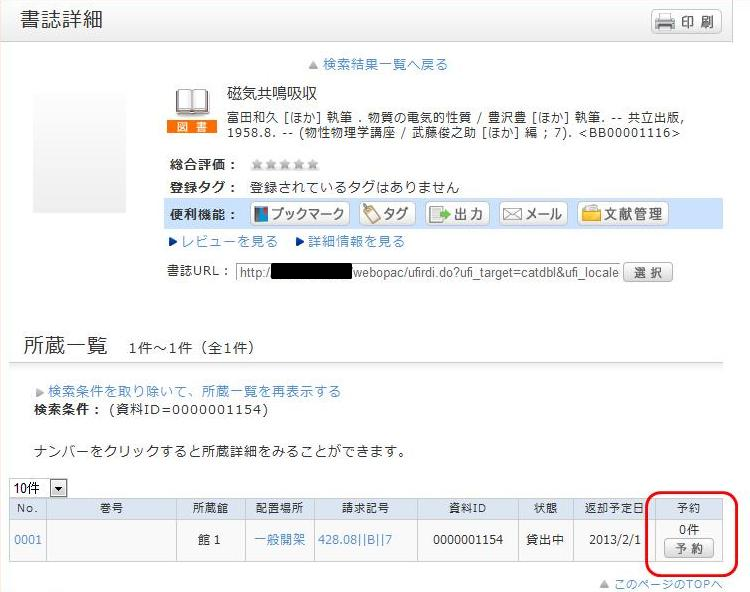
2. On the request condition selection screen, select your desired request conditions and click [Select].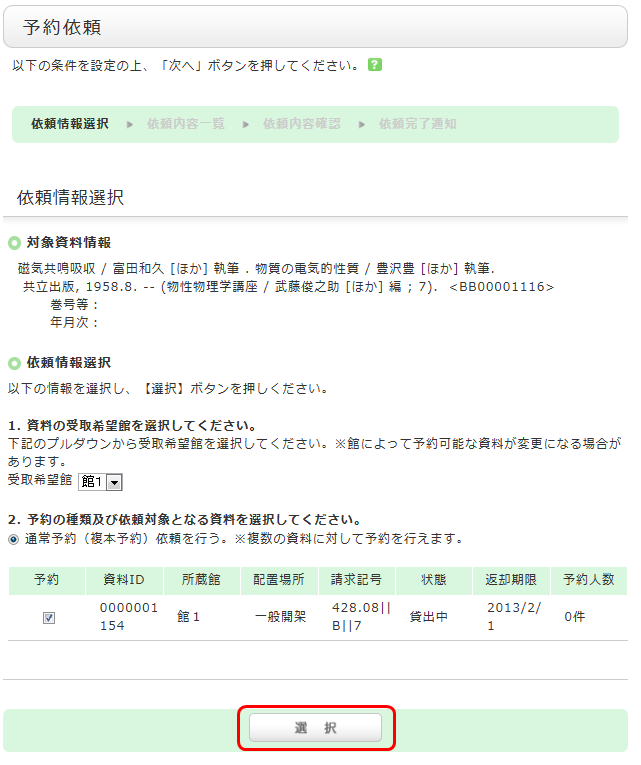
3. On the request information entry screen, confirm the material and applicant information, enter (or verify) the reservation details, and finally click [Apply].
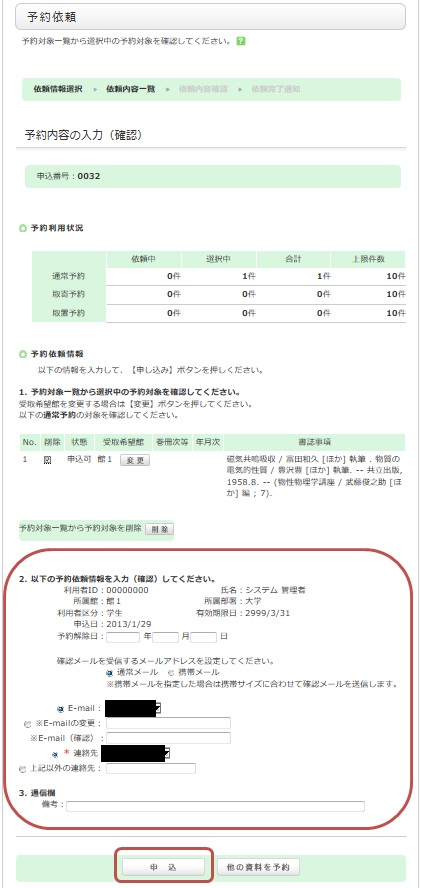
4. Confirm the reservation request details on the "Request Confirmation" screen and click [Confirm].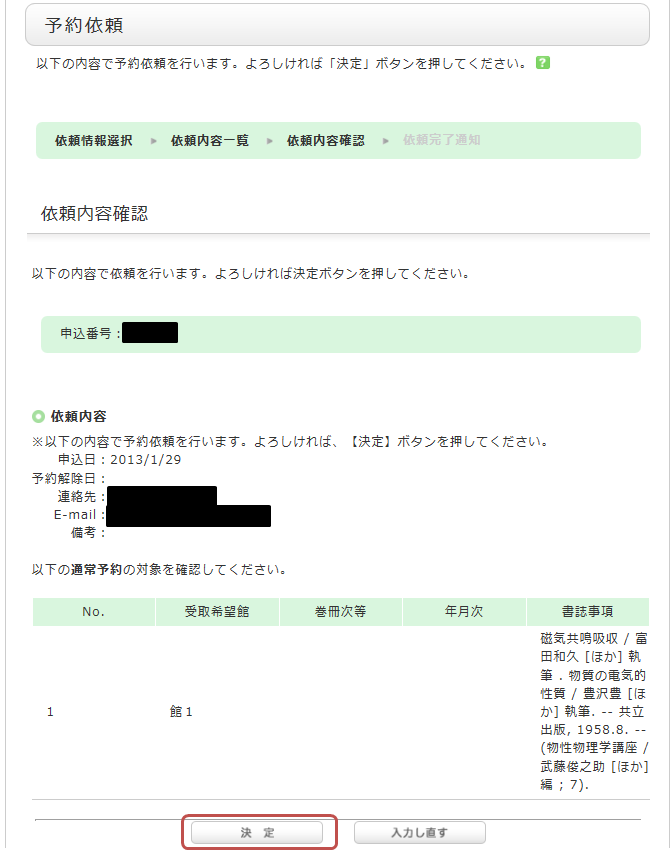
5. The reservation is complete once you see the "Request Completion Notice" screen.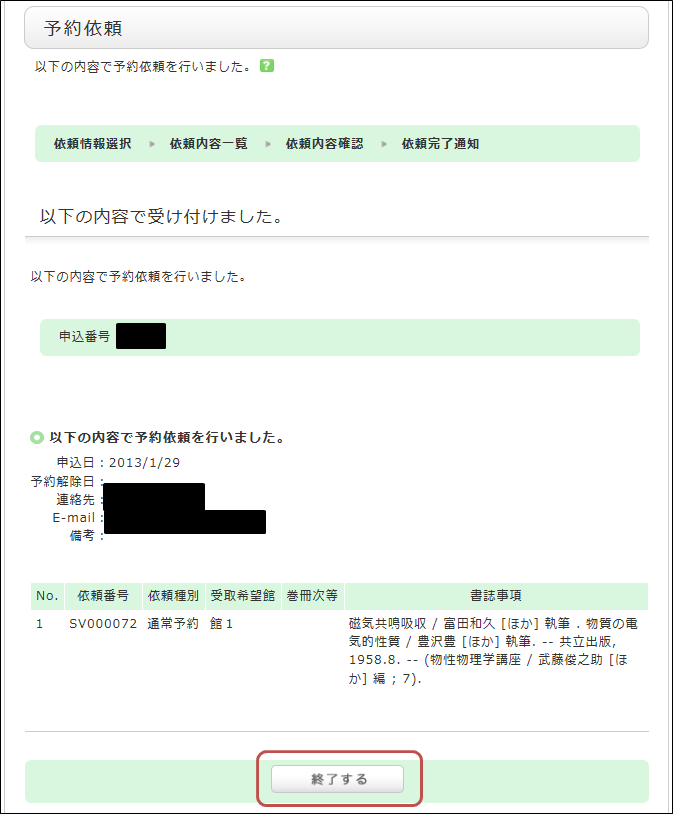
*An automated notification email will be sent to your university email address when your reserved item arrives. The hold period is 1 week.
How can I extend the loan period of the books I have borrowed?
You can check the materials you have borrowed from the university libraries and renew your loans via the OPAC.
1. First, log in to the OPAC.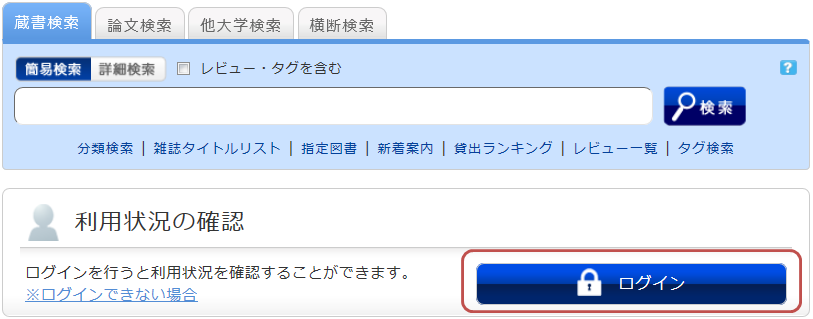
2. After logging in, click "Borrowed Materials" under "Check Usage Status."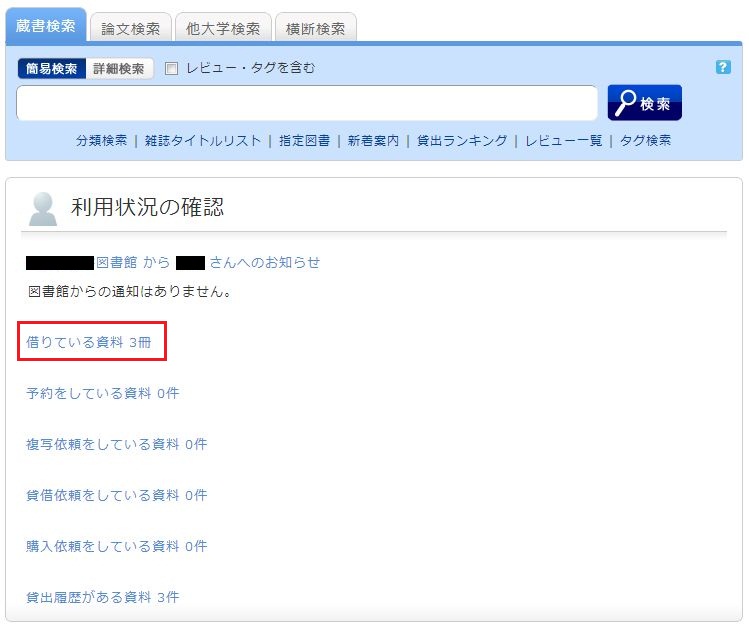
3. Once the "Loan List" is displayed, check the box next to the material you wish to renew and click [Renew Loan].
In the "Loan List," you can confirm your current loan status, including where you borrowed the item (Library), what you borrowed (Bibliographic details), and the due date (Due Date).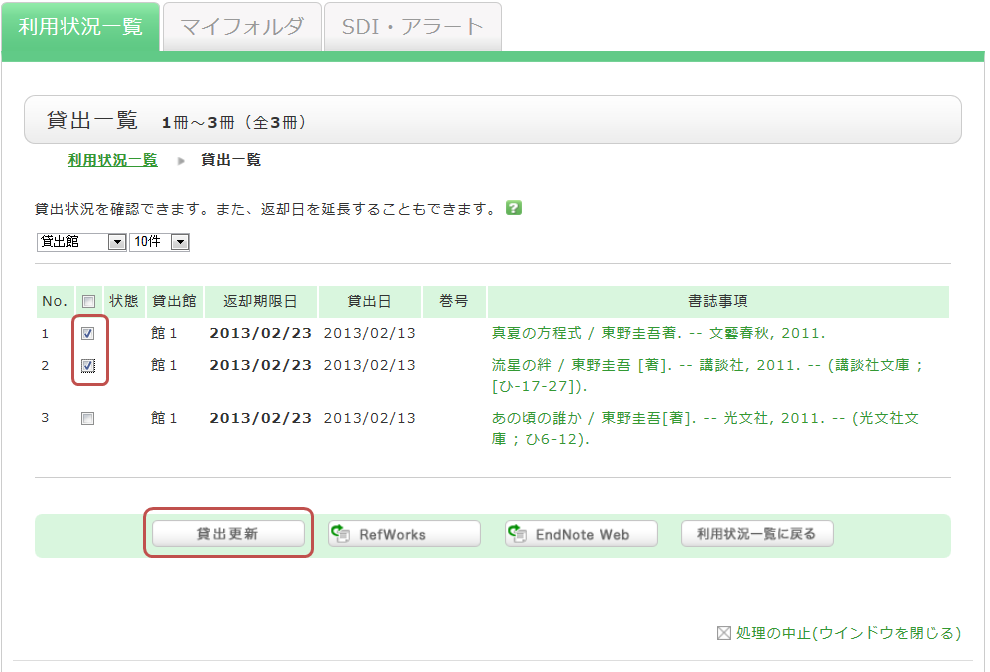
4. Click [OK] in the pop-up window.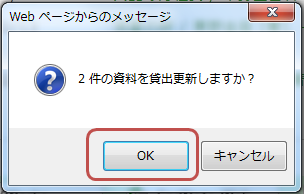
5. The due date will be extended, and the renewal is complete.
If the renewal fails, the reason will be displayed.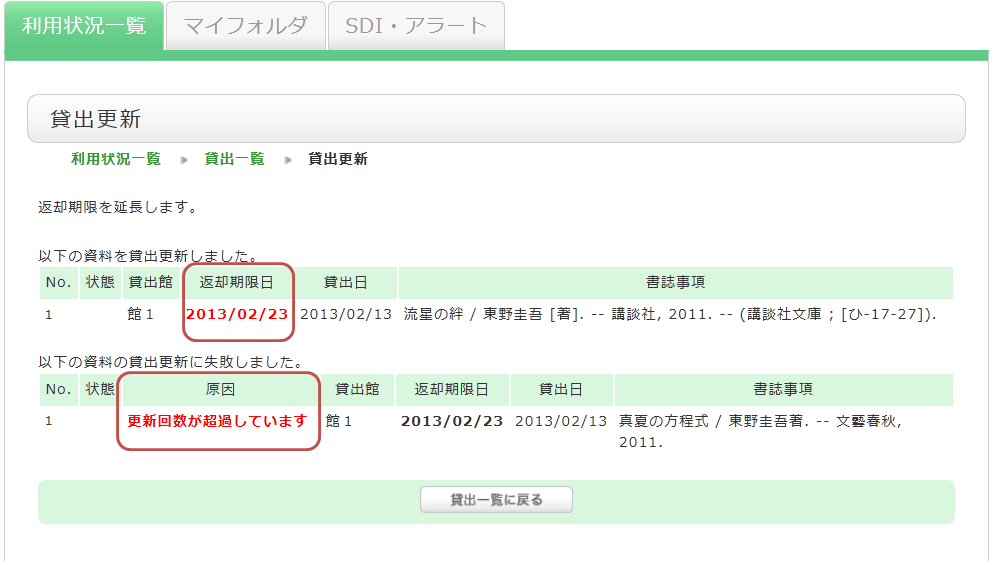
Clicking on the "Bibliographic details" of a borrowed item in the "Loan List" will display the "Bibliographic Details" screen, where you can check information such as the number of times the item has been renewed.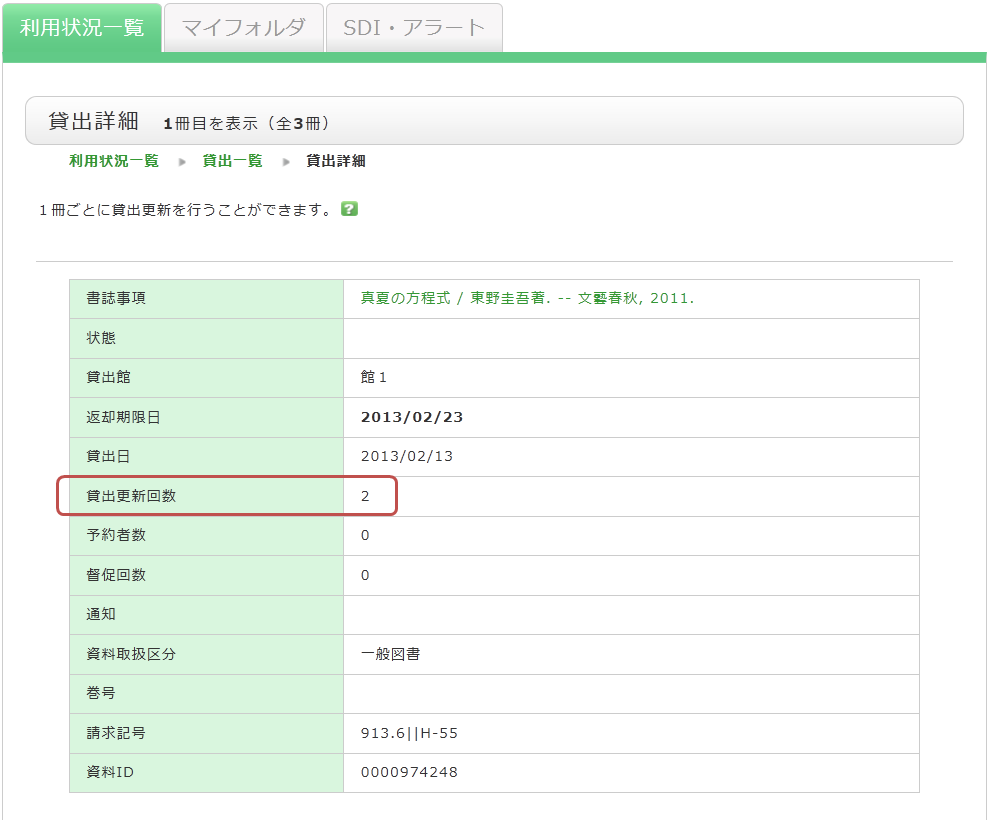
Please note the following regarding loan renewals:
- The new due date is calculated based on the online renewal rules of the library that holds the item.
- Online loan renewals are based on the date the renewal process is performed. Please note that it does not add to the loan period from the original due date.
- You cannot renew loans in the following cases:
- The material is on "Vacation Loan."
- The material has been reserved by another user.
- You have overdue materials or are currently in a loan suspension period.
- Depending on the type of material (e.g., textbooks, journals), some items may not be eligible for renewal.
How do I cancel a reservation?
If you wish to cancel a reserved item, you can do so via the OPAC.
1. Log in to the OPAC.
2. From "Check Usage Status" on the OPAC top page, click "Reserved Materials."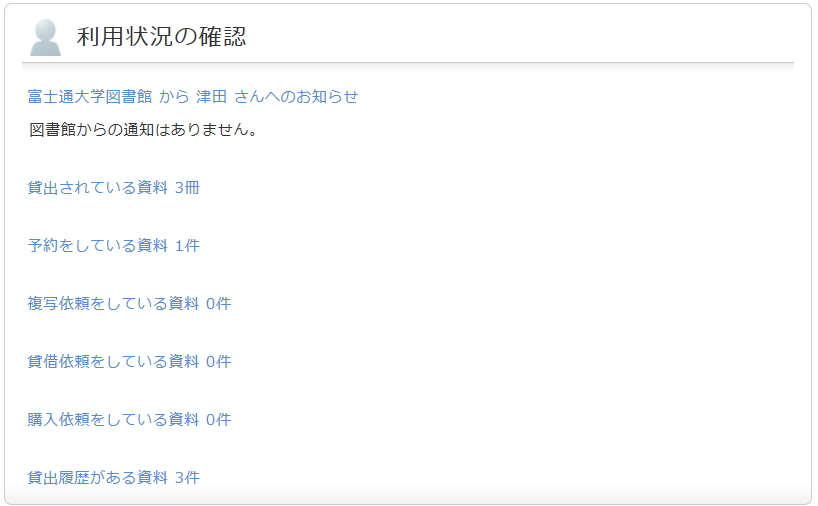
3. Once the reservation list screen is displayed, check the box next to the material you wish to cancel and click [Cancel Reservation].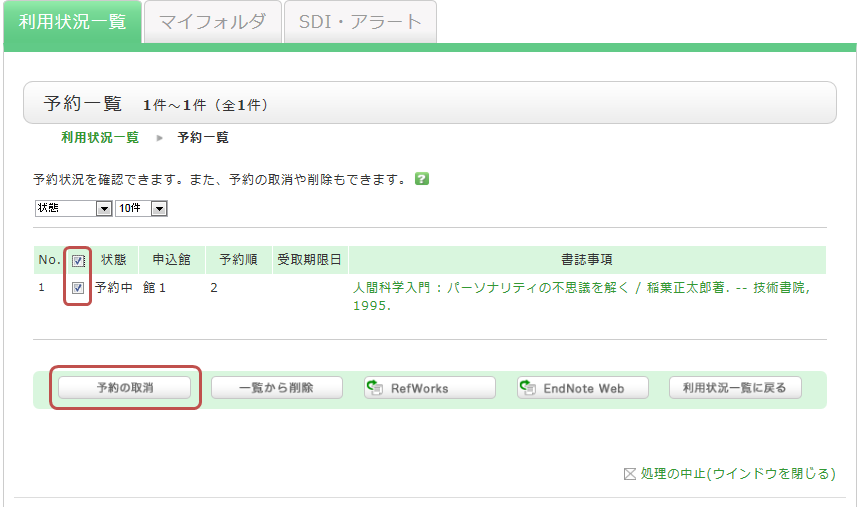
4. Click [OK] in the pop-up window.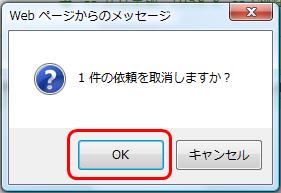
5. Once the cancellation is complete, "Cancelled" will be displayed in the status field.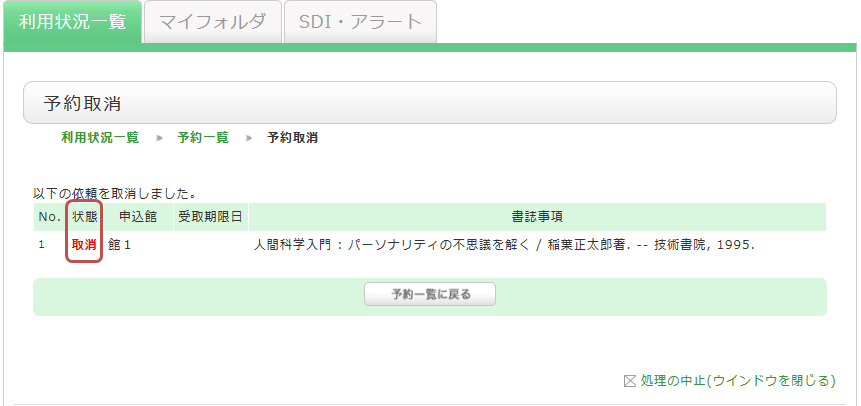
What happens if I have overdue items or my borrowing privileges are suspended?
If you have not returned materials past their due date, or if your borrowing privileges are suspended because you returned materials late, you will not be able to reserve new items or renew your current loans.
Please make sure to return all materials by their due date.