



FAQ
About the Article Search, Repository, and Cross-Search tabs.
About the [Article Search] tab
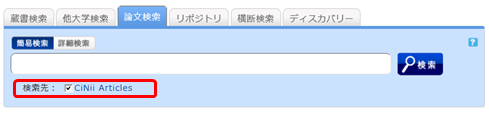
You can search for domestic academic articles. (Links to CiNii Articles)
Please enter a keyword into the search box to perform a search.
You can navigate to the CiNii Articles top page via the search link.
About the [Repository] tab
An institutional repository is a system that systematically collects, preserves, and widely publishes electronic intellectual products created within an institution (such as academic journal articles, theses, research reports for grants, lecture materials, teaching materials, conference presentation materials, etc.) on the institution's server.
Please enter a keyword into the search box to perform a search.
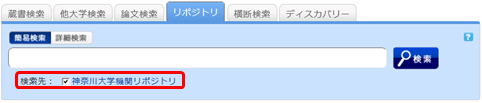
You can navigate to the Kanagawa University Institutional Repository top page via the search link.
About the [Cross Search] tab
From the [Cross Search] tab, please check the libraries or other institutions you wish to search and perform your search.
How to use
- On the search results list screen, you can display search results for each individual target site or the combined search results for all sites.
- The search results from the site that finishes the search the fastest are displayed first.
- To view search results from other sites, please select them from the menu on the left.
- You can display the list of results for each specific search target by clicking "Show all sites" at the top left of the screen, or by clicking the link for each site in the site-specific search results on the left side of the screen.
Notes
- There is a limit to the number of records retrieved per site (10–100 records). If you wish to see all search results for a specific site, please search that site directly.
- The results from [Cross Search] may differ from those obtained by searching the target site directly. Please use [Cross Search] as a guide to determine which site you should use to find the materials you are looking for.
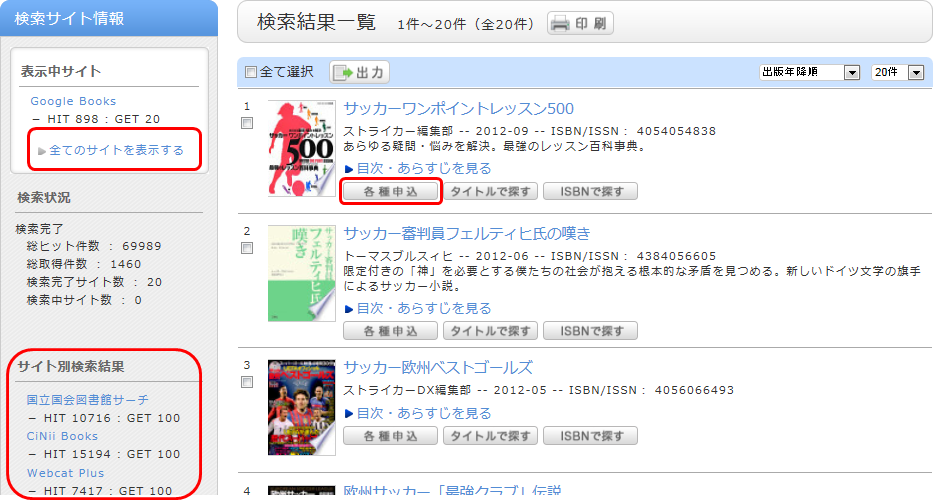
By selecting "Various Requests" displayed for each bibliographic record on the search results list screen, you can place an ILL photocopy request (requesting copies) or an ILL loan request (requesting books).