



FAQ
What kind of personal services are available?
To use the Personal Service, you will need a library account.
The Personal Service is broadly divided into the following three functions:
1. Check Usage Status
This function allows you to view your current checkout status and apply for loan period extensions.
2. My Folder
This function allows you to save search conditions and search results, and to view your tag and review history.
3. Alert
This function notifies you when new books or journals arrive at the library.
I cannot log in to the OPAC.
You need an MNS account to log in to the OPAC user services.
What can I do in the "My Account" (Usage Status) list?
Loans
You can select items by checking the checkboxes in the list to renew loans or export them to bibliographic management tools.
Clicking on the title of a bibliographic record allows you to view its detailed status.
Reservations
You can select items by checking the checkboxes in the list to cancel reservations, delete them from the list, or export them to bibliographic management tools.
Clicking on the title of a bibliographic record allows you to view the detailed status of the reservation.
Copy Requests
You can select items by checking the checkboxes in the list to cancel requests, delete them from the list, or export them to bibliographic management tools.
Clicking on the title of a bibliographic record allows you to view its detailed status.
ILL Requests
You can select items by checking the checkboxes in the list to cancel requests, delete them from the list, or export them to bibliographic management tools.
Clicking on the title of a bibliographic record allows you to view the detailed status of the request.
Loan History
You can select items by checking the checkboxes in the list to delete them from the list or export them to bibliographic management tools.
Clicking on the title of a bibliographic record allows you to view the details of your loan history.
View/Edit User Information
Please note that you can only view your user information and cannot modify it.
How can I update my user information in the OPAC?
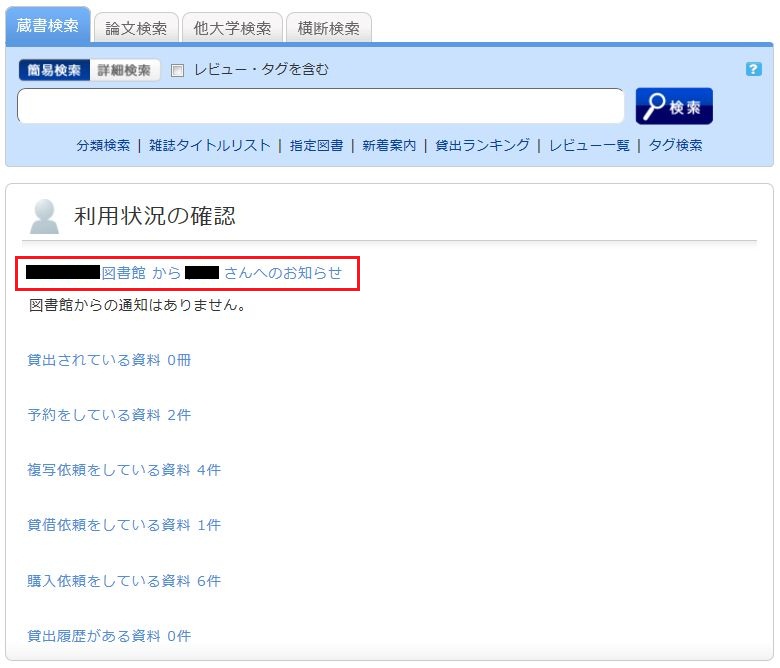
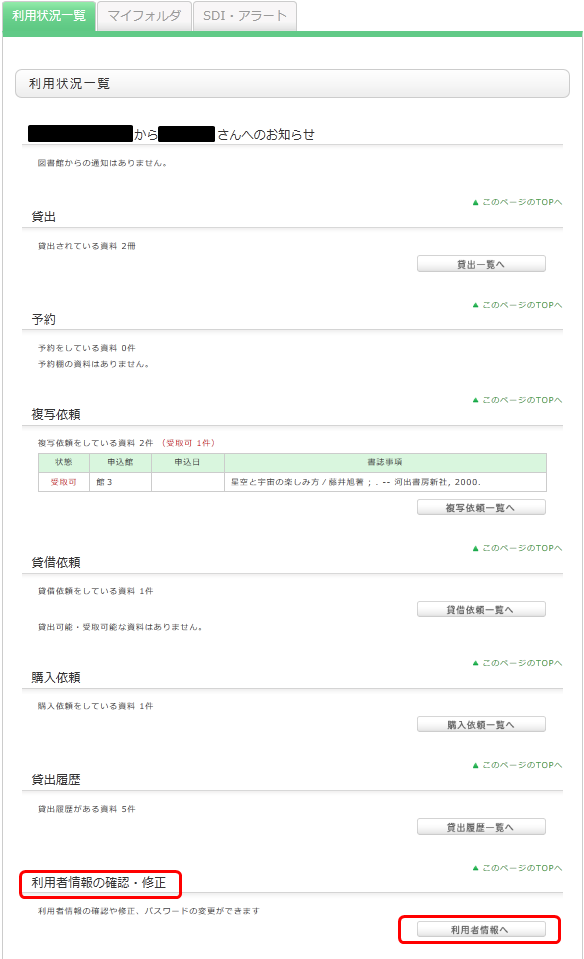
You can check your registered information from "My Account" > "User Information" in the OPAC. Please note that you cannot modify this information.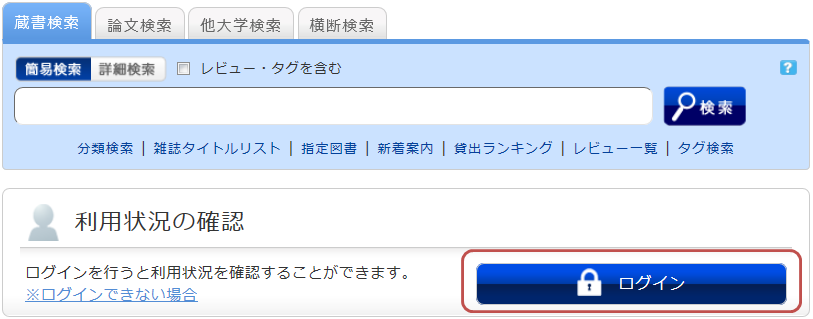
What features does "My Folder" offer?
The following features are collectively referred to as "My Folder" functions.
1. Bookmarks
This feature allows you to create a list of materials on the web. You can register books you have already read or those you plan to read in the future.
It can also be used as a list for exporting data to EndNote or RefWorks.
2. Favorite Searches
This feature allows you to save search criteria. You can use the same search criteria for future searches.
3. Review History
This feature allows you to view the history of reviews you have written.