



FAQ
What happens if I have overdue items or my borrowing privileges are suspended?
If you have not returned materials past their due date, or if your borrowing privileges are suspended because you returned materials late, you will not be able to reserve new items or renew your current loans.
Please make sure to return all materials by their due date.
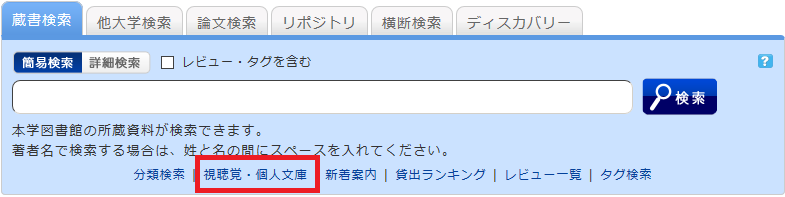
About "Audiovisual/Personal Collections" found under the keyword input box in the [Book Search] tab or in the catalog menu.
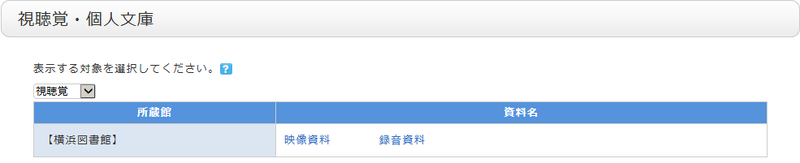
We provide lists for categories that are frequently requested to be viewed as a whole, even though they cannot be searched using secondary keys such as location.
You can also change the display target using the pull-down menu.
What are the tags displayed on the tag search screen?
The library provides tags for materials that are useful to have in list form, such as textbooks and materials selected during student selection tours.
How can I search for reviews and tags?
You can search the titles and full text of reviews and tags using the following five methods:
- Refer to "Recent Tags"
 or "New Reviews"
  on the top page.
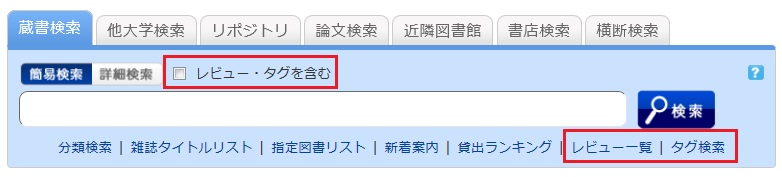
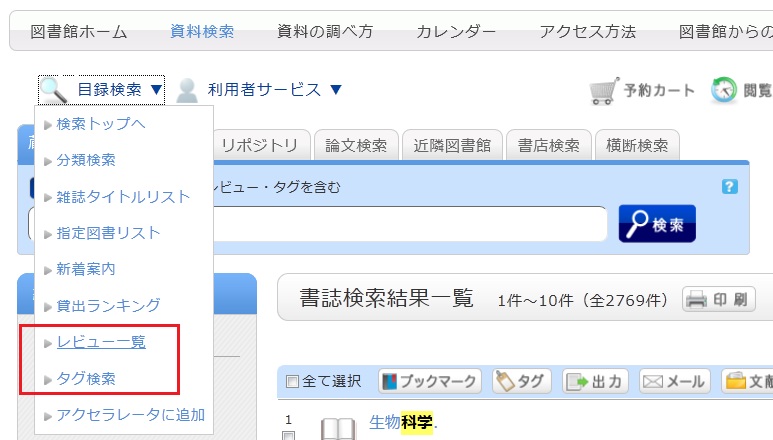
- Select "Review List" or "Tag Search" located below the search box on the [Library Catalog] tab.
- On the [Basic Search] screen of the [Library Catalog] tab, check the "Include Reviews/Tags" box and perform a search.
- On the [Advanced Search] screen of the [Library Catalog] tab, select "Review" or "Tag" from the pull-down menu for the search items.
(Compared to a basic search, this allows you to search using multiple conditions.)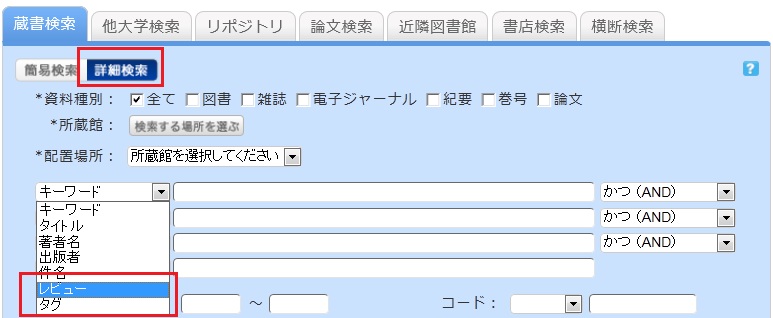
- Select "Review List" or "Tag Search" from the catalog search menu.
On the search results list screen, how do I return to the original list after narrowing down my search using the left-hand menu?
When you enter keywords and filter your search results using the menu on the left side of the bibliographic search results screen, the screen will appear as follows.
In this example, the material type is limited to "Book."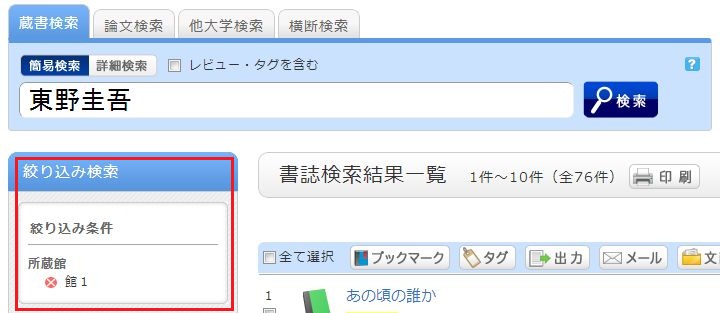
To remove a filtering condition and return to the original search results, click the red × button in the white area located under "Filtered by" in the left menu.
Even if you have applied multiple filters, you can remove any specific filter using the method above, regardless of the order in which they were applied.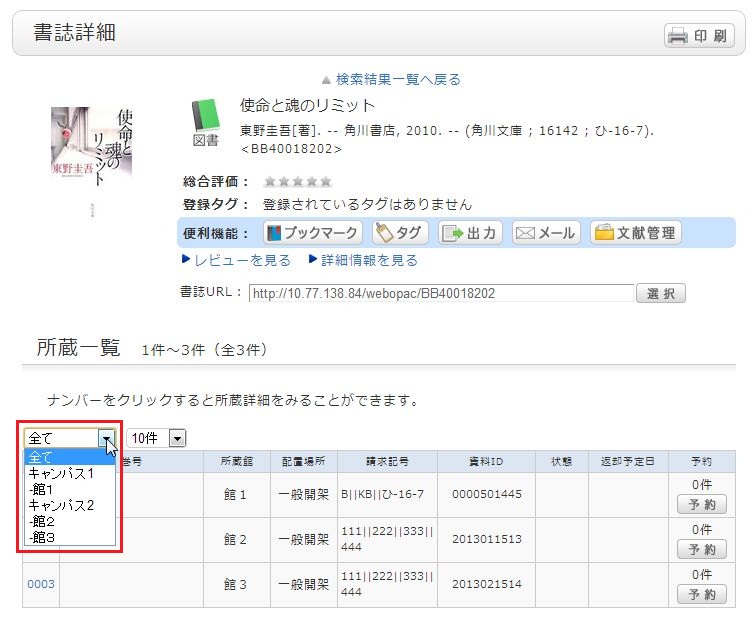
Even after you have filtered by library, selected a title, and moved to the bibliographic details screen, you can still remove the filter or re-filter by another library.